Intro
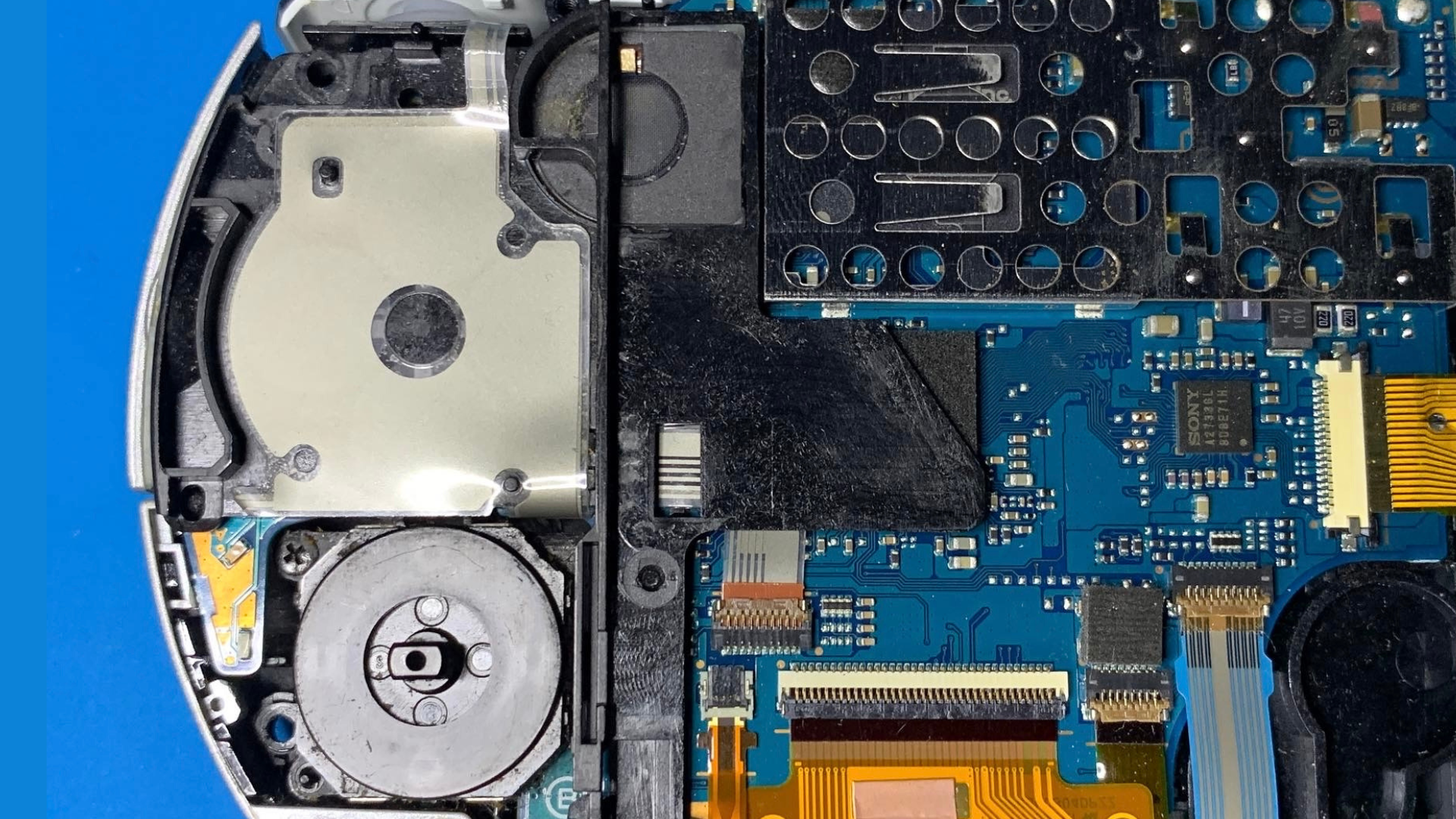
In this guide, I’ll show you how to replace the Directional Buttons / Pad (D-Pad) flex cable on the Sony PSP 2000 model.
What you'll need
- Phillips Head Screwdriver
- Plastic Spudger Pry Tool
- Replacement PSP 2000 D-Pad Flex Cable
- Hand Squeeze Air Blower (optional, for removing dust and debris)
Important: Power off the console completely and remove any UMD and memory card before starting. Work on a clean, static-free surface.
Step 1 – Remove the battery and outer screws
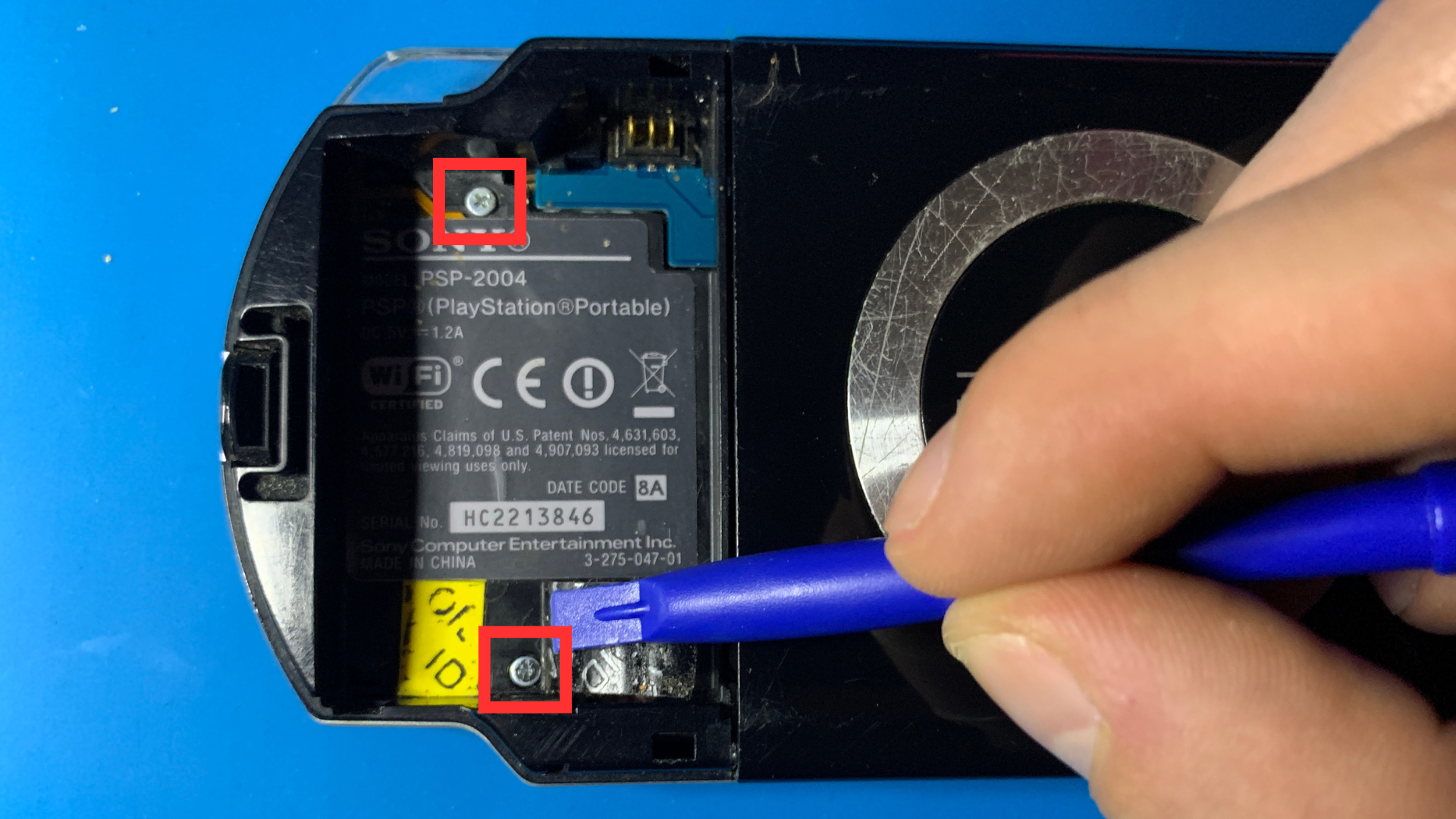
1. Turn the PSP over and remove the battery cover.
2. Take the battery out of the console.
3. Remove the screws located on both sides of the PSP.
4. Inside the battery compartment, carefully peel back the lower sticker to reveal a hidden
screw. Remove this screw, as well as the visible screw at the top of the compartment.
5. Finally, remove the two screws at the top edge of the PSP and the single screw at the
bottom edge.

Step 2 – Remove the faceplate and loosen the front flex cables
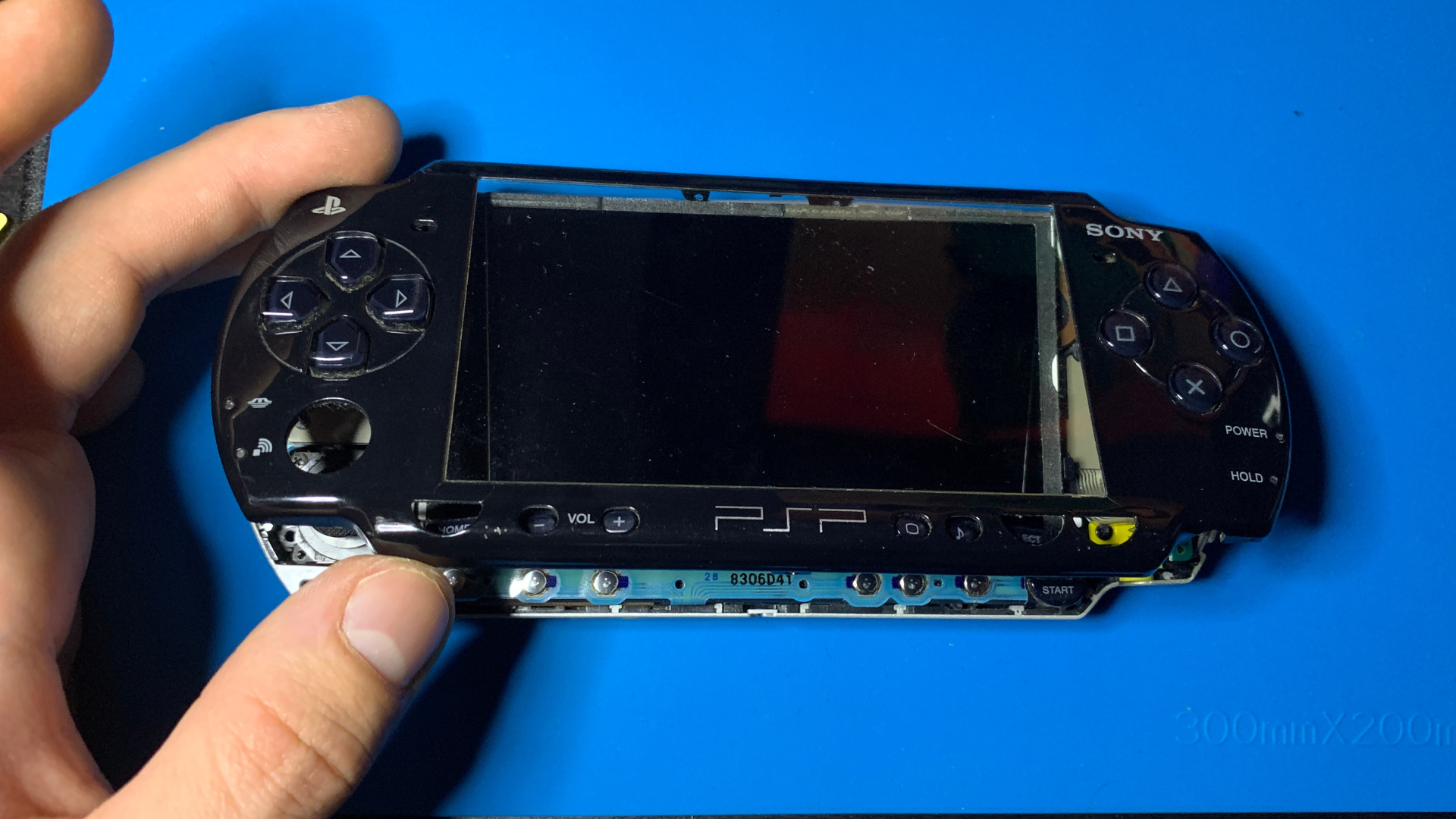
1. Turn the PSP back over so the screen is facing up.
2. Gently lift and remove the front faceplate (front shell) using a plastic pry tool. Work
slowly around the edges to avoid cracking the plastic.
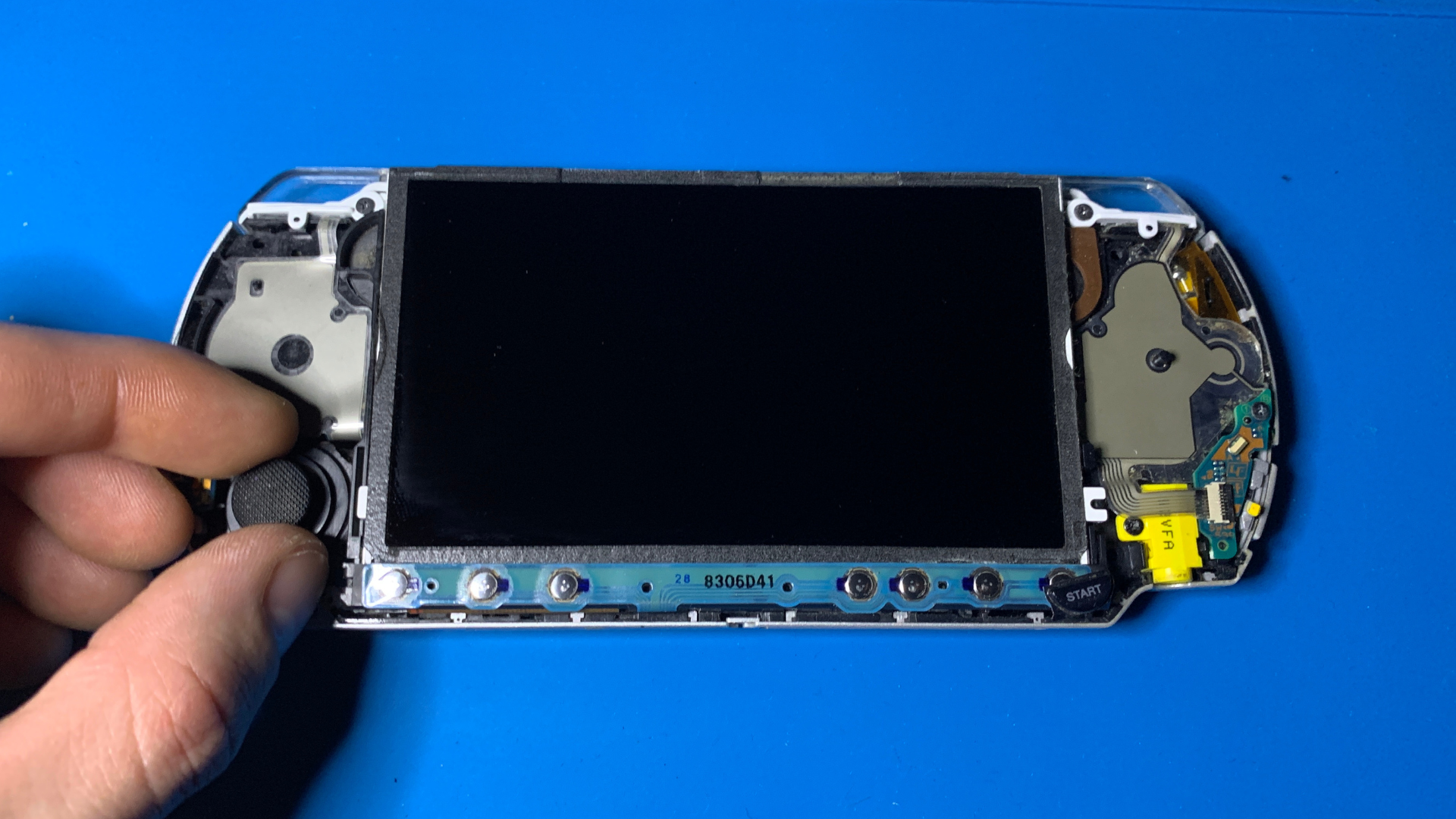
3. If the analog joystick is in your way, you can gently pull it up and remove it. This is
also a good time to clean dust or debris from around the joystick area if needed.
4. Carefully pull the front button flex cable downward so it's loose and not under
tension.
5. At the top of the console, remove the two plastic mounts that hold the triggers in place.
You'll need to completely remove the left trigger, since the D-Pad
flex cable assembly includes that trigger button.
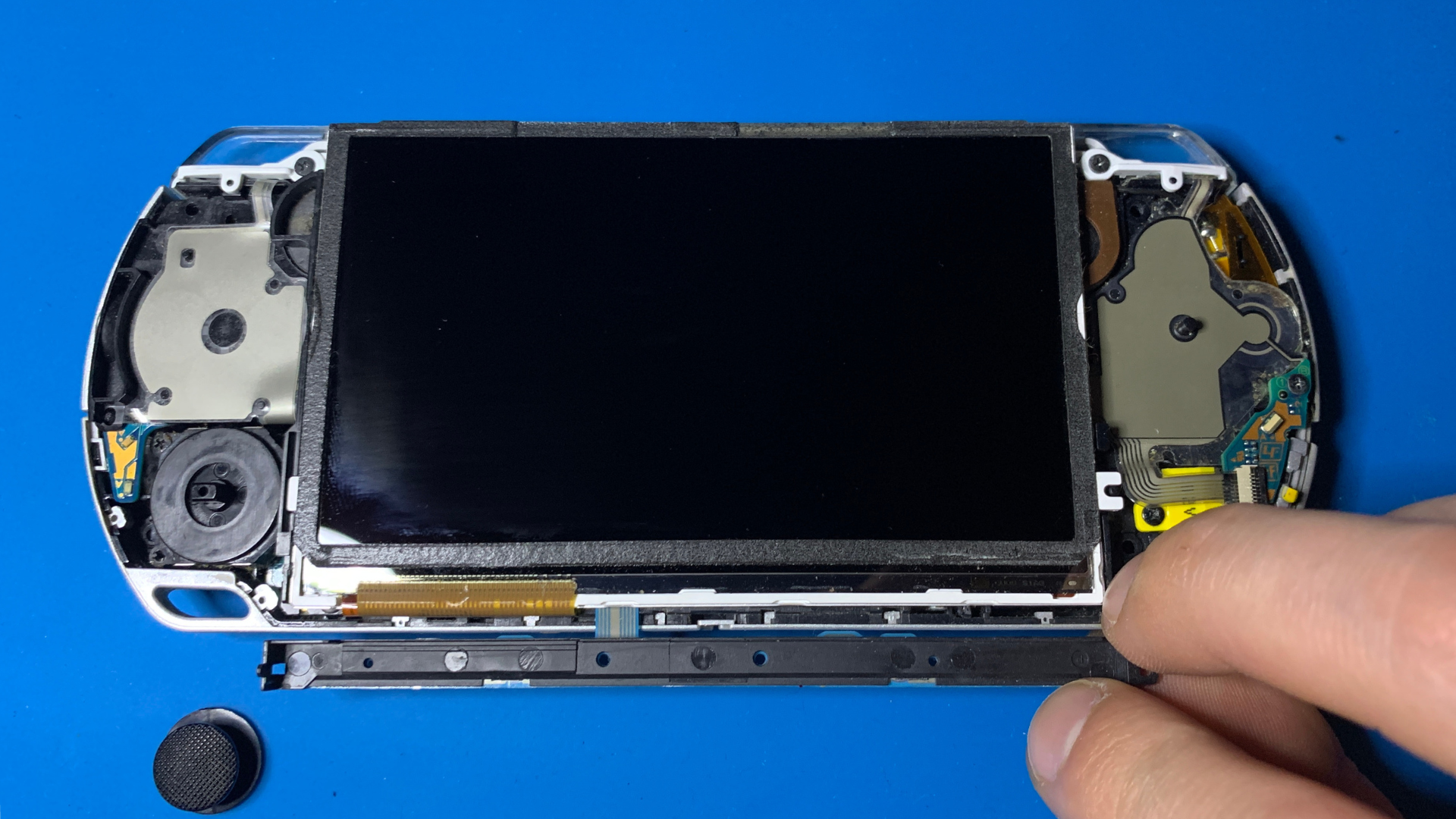
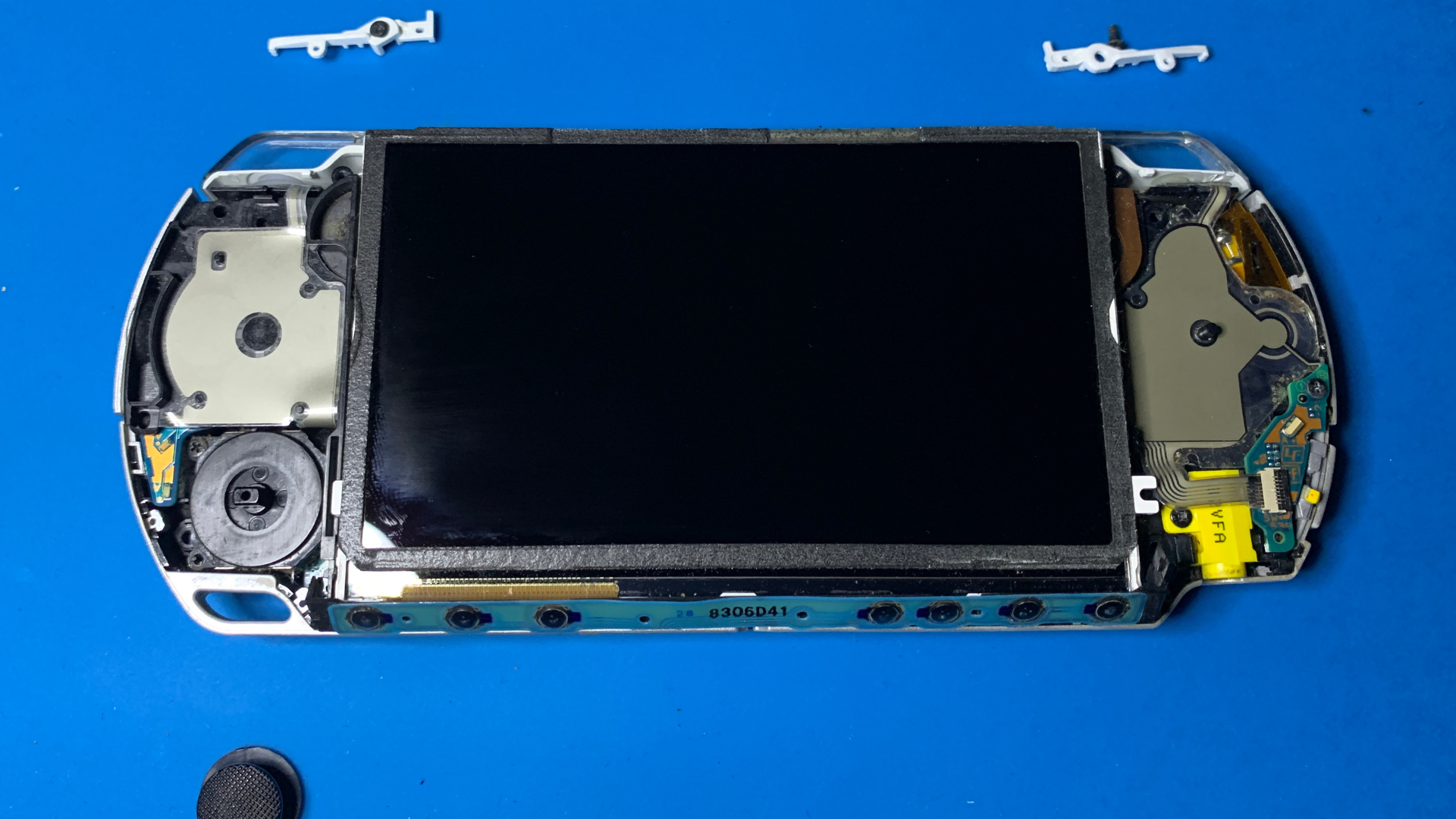
Step 3 – Lift the LCD and replace the D-Pad flex
1. Very carefully lift the LCD from the top edge. If you're struggling to get under the
screen, try lifting near the white plastic clip at the bottom-right of the LCD (refer to
the images from the previous step).
2. Take care not to damage any ribbon cables while lifting the LCD. They are delicate and
easily torn if pulled too hard or at an angle.
3. Locate the D-Pad ribbon cable connector. Gently lift the locking tab on the connector and
disconnect the D-Pad flex cable.
4. Remove the single screw located in the bottom-left corner that holds the D-Pad plastic
assembly in place.
5. You can now remove the D-Pad plastic + flex assembly. Take your replacement flex cable and
peel off the yellow adhesive backing.
6. Position the new flex in place and press it down so the adhesive holds it firmly. Refit
the screw that secures the D-Pad plastic.
7. Reconnect the D-Pad ribbon cable and lock the connector tab. Carefully lower the LCD back
into position, making sure no cables are trapped underneath.
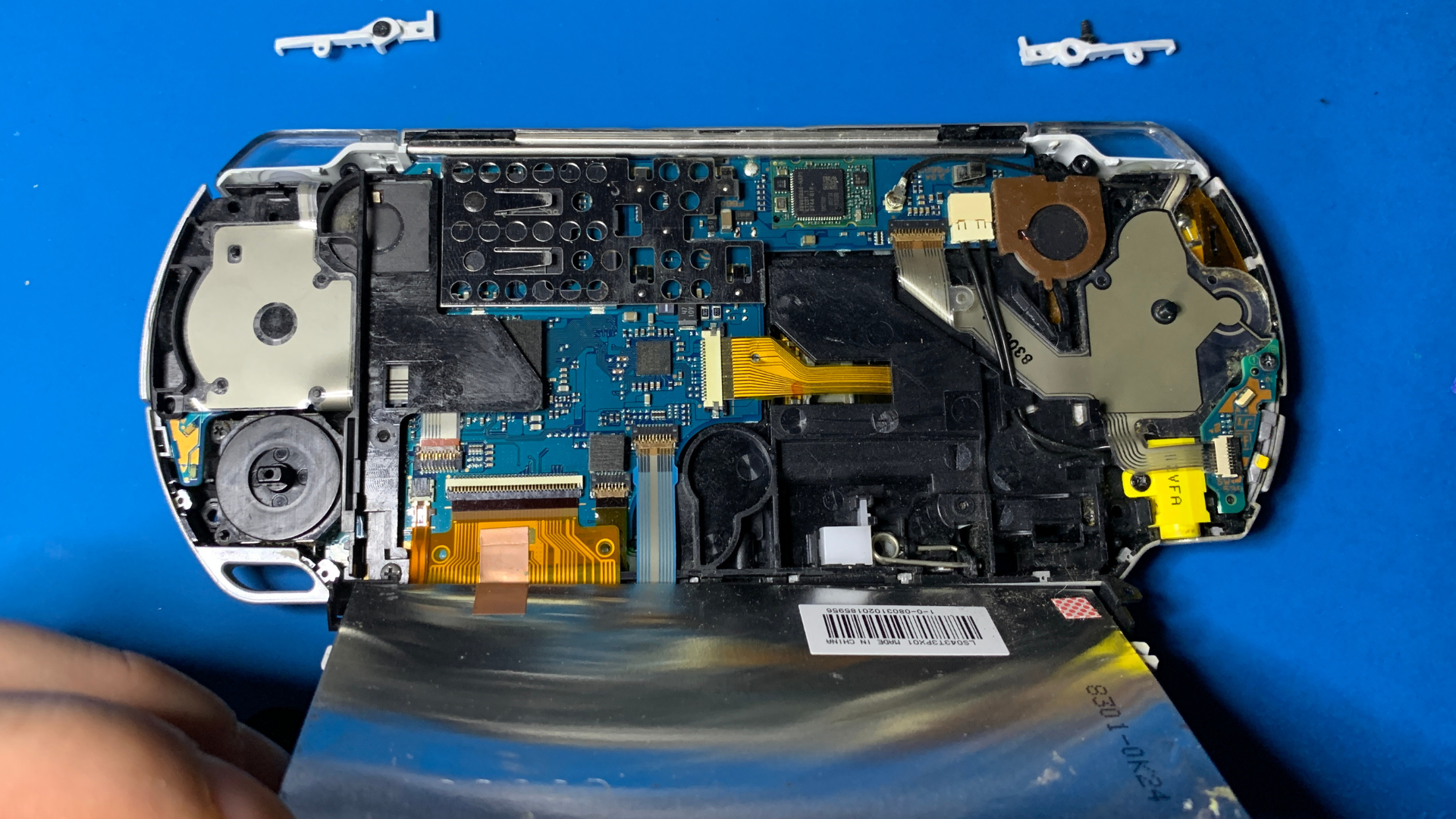
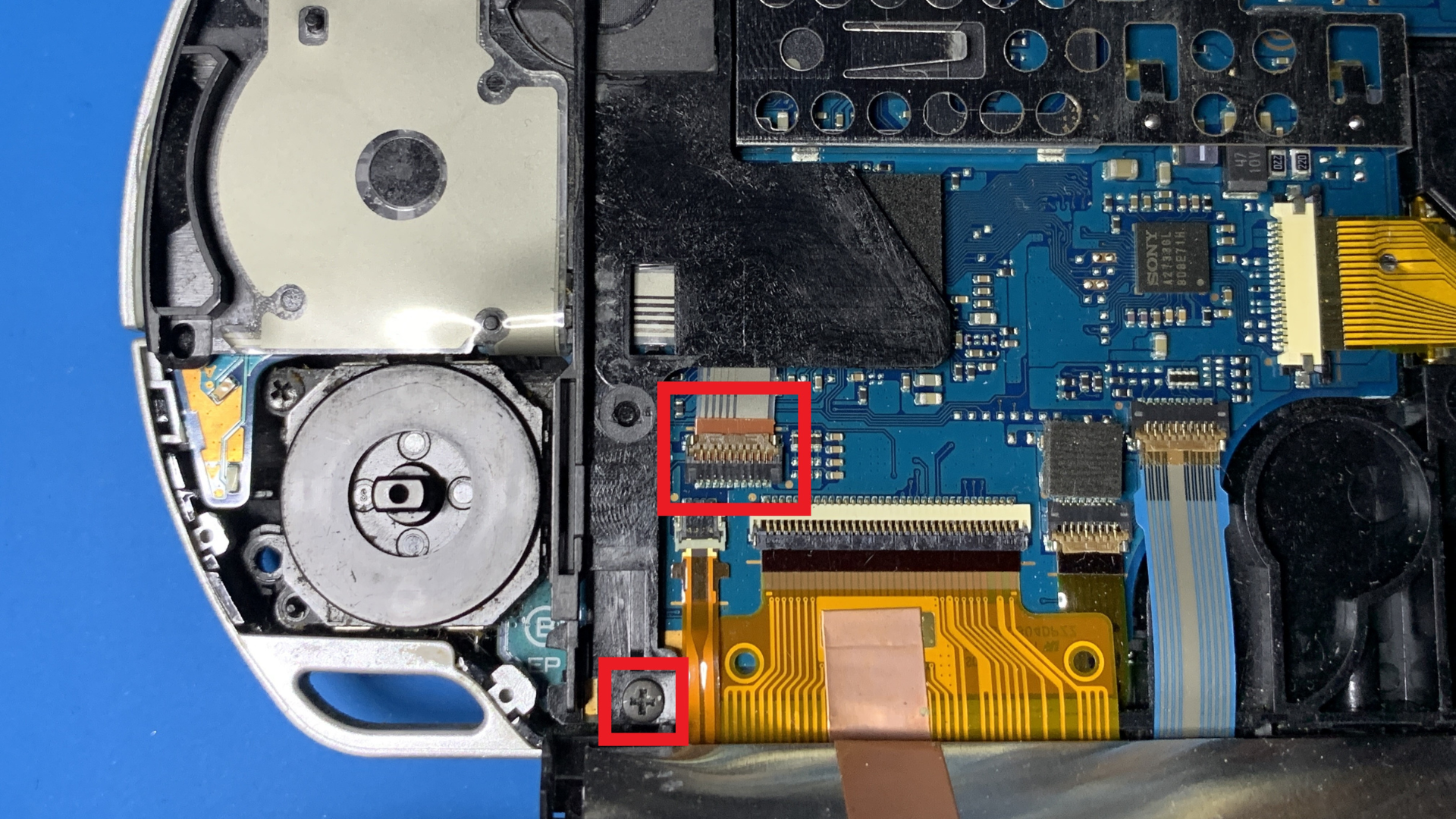
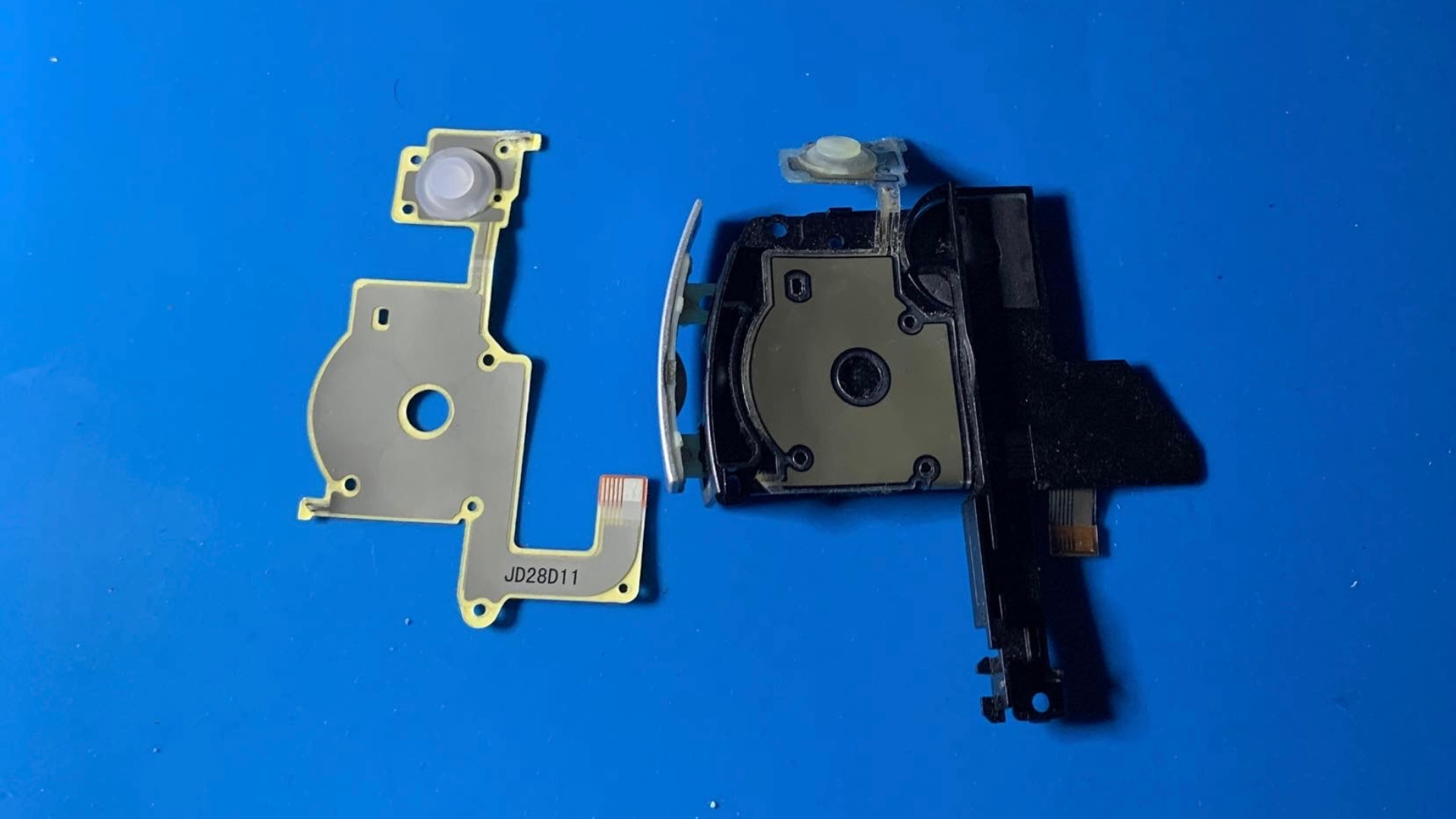
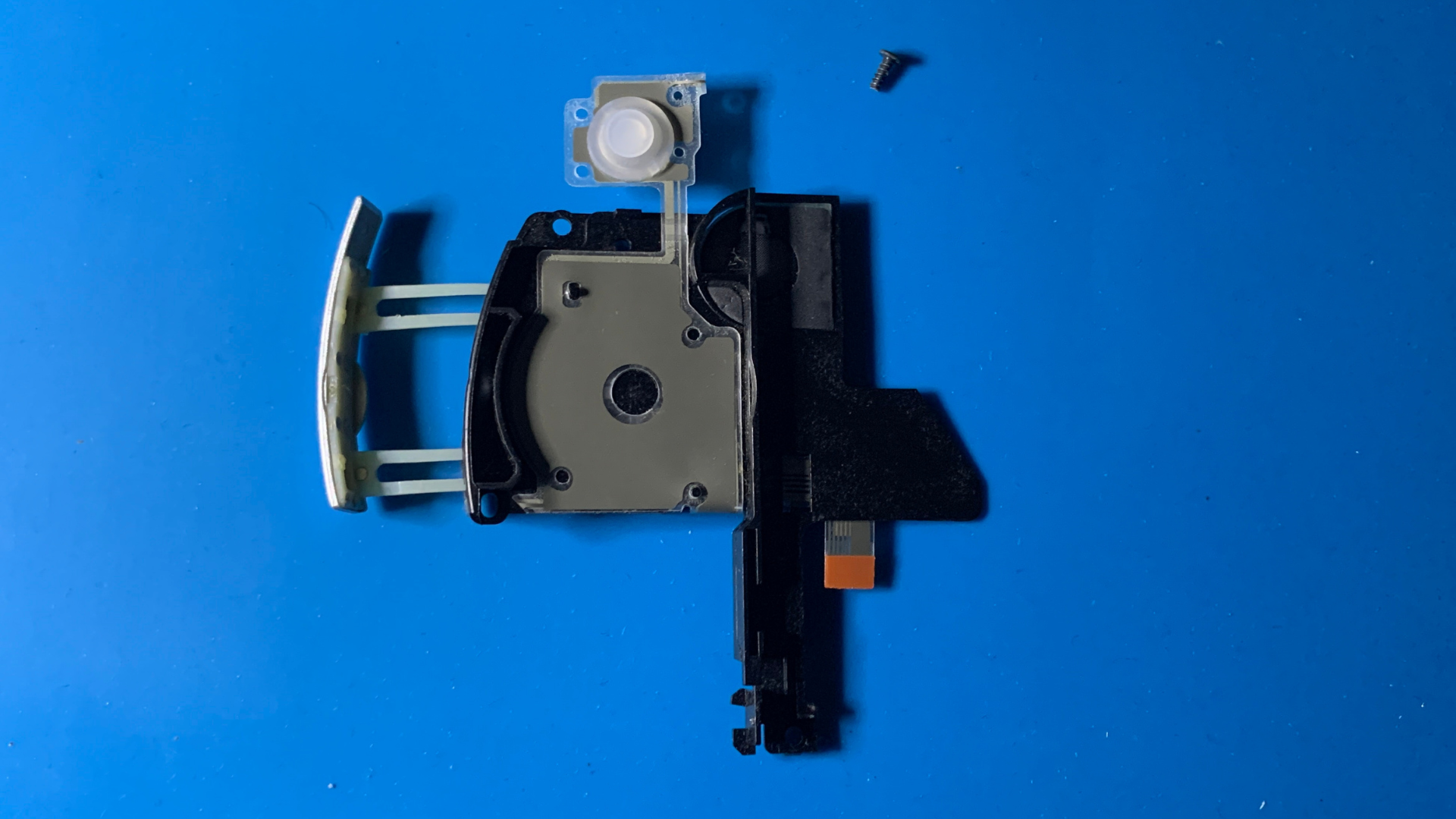
Once the new D-Pad flex is in place and everything is reconnected, reassemble the PSP in the reverse order:
- Lower the LCD and ensure it sits flat.
- Reinstall the trigger mounts and the left trigger.
- Reconnect and position the front button flex cable.
- Reinstall the analog joystick (if removed).
- Refit the front faceplate and all outer screws.
- Reinsert the battery and battery cover.
Power the PSP back on and test all D-Pad directions as well as the left trigger to confirm everything is working correctly.
Conclusion
Replacing the D-Pad flex cable on a PSP 2000 is a relatively straightforward repair and can often resolve unresponsive or intermittent directional button issues. The most important part of the repair is taking your time when lifting the LCD and handling the ribbon cable connectors, as these components can be easily damaged if forced.
Once reassembled, test all four D-Pad directions and the left trigger to ensure the new flex cable is working correctly. If some buttons still do not respond, double-check that the ribbon cable is fully inserted and that the connector locking tab is securely closed.
With the repair complete, your PSP 2000 should be ready for many more hours of gaming.